







Instructions for Enabling Face Authentication When Changing Your Password or Logging In to BIDV SmartBanking on a Different Device
To enhance account security and comply with regulations on electronic transaction authentication, BIDV recommends that customers enable facial recognition when changing their password or logging in to BIDV SmartBanking on a different device.
Facial authentication helps better protect your account against unauthorized access, minimizes the risk of fraudsters exploiting leaked login credentials to gain control of the service, and ensures that the account holder is the one performing critical actions on the app.
This feature helps make using BIDV SmartBanking safer, more convenient, and more reassuring in any situation.
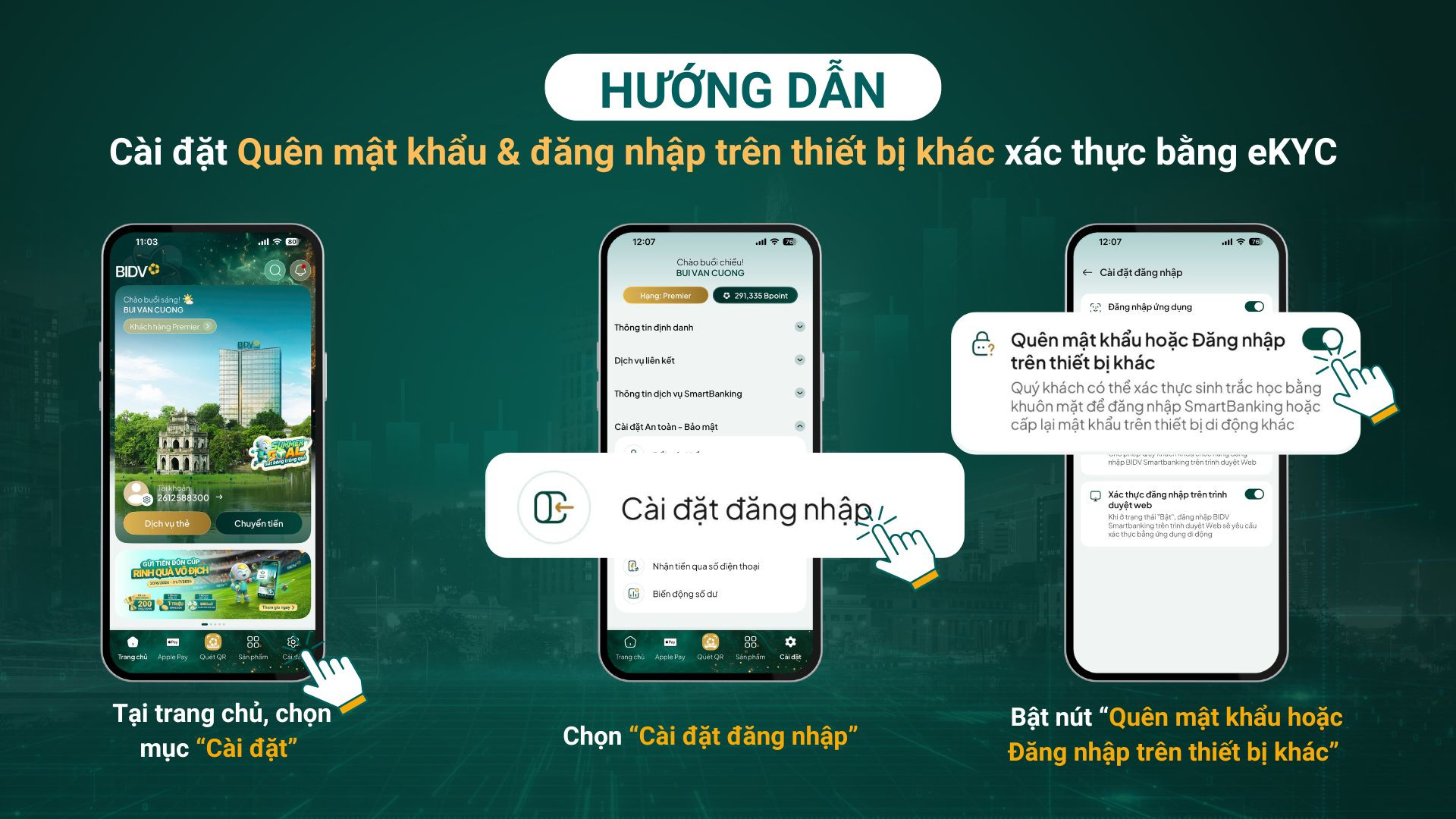
Easy Guide to Enabling the Feature on BIDV SmartBanking
For more details, please contact the 24/7 Customer Service Hotline at 1900 9247 for assistance.